Cliff at TourKick has been providing title company closing cost calculators for over a decade. For many years now, it’s been called ClosingCostsApp.
We take pride making real estate tools that are quick and easy to use. The majority of closing cost calculators and net sheet tools on the market are cumbersome and inefficient to use. Some make you enter details that only an escrow officer would know. Others require the REALTOR® to pay a monthly fee to use your calculator, even though you want to provide it to them at no charge.
Over the years, we’ve turned ClosingCostsApp into a powerhouse of functionality so your title company can deliver robust, easy-to-use tools to all of your clients:
- your favorite Loan Officers
- your occasional buyers and sellers
- your new REALTOR® prospects
- your most loyal RE Pros
We consider all feature requests from our title company clients. When we implement them, all the other title company clients benefit by receiving the same new functionality while maintaining their affordable pricing.
Our commitment to good user experience (UX), focus on value-based features, and cloud-hosted SaaS infrastructure solidifies ClosingCostsApp as the best title company embedded closing cost calculator solution with the ability to submit orders 24/7/365. Plus, it comes with a net sheet mobile app that includes an estimated monthly mortgage payment at no extra charge.
Following is a detailed list of our thoughtful features and distinctive functionality. As ClosingCostsApp grows in functionality, we’ll try to keep this list current.
Whether a current or prospective ClosingCostsApp customer, please contact us to report any bugs or feature requests.
Closing Costs Calculator
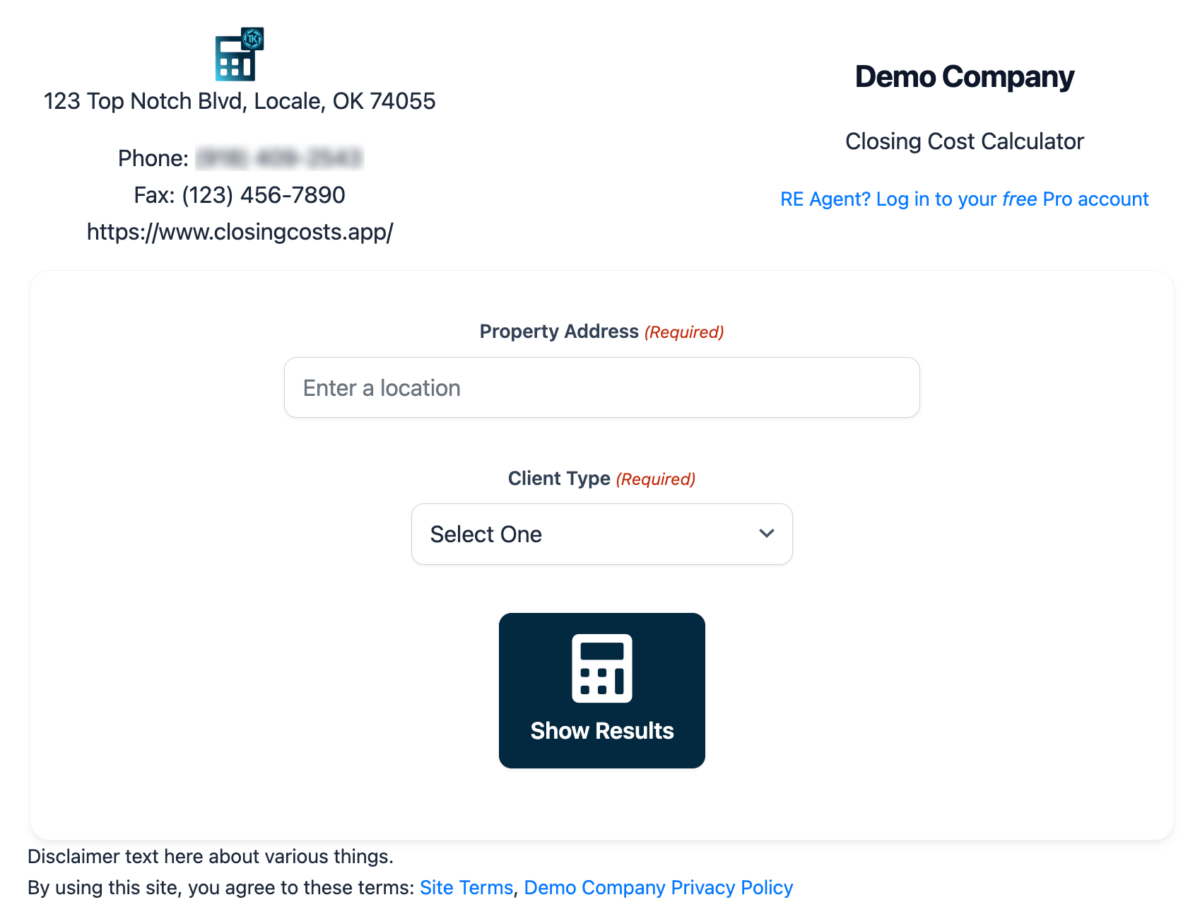
Of course, this is where it all started! Title companies allow the public, lenders, and REALTORS® to calculate accurate amounts for their own or their client’s planning.
We started when it was standard to simply quote +$50 Supplemental for Owners Title Insurance (OTI). Since our calculators are built for residential clients, our calculators now display your calculated Lenders (LTI) and Owners (OTI) amounts according to TILA-RESPA Integrated Disclosure (TRID).
Private Calculation Logic
Unless you use our Password Protection feature, your CCCalc will be available to anyone on the Internet. However, your calculator’s logic and formulas are not.
How? We don’t put your entire formula within the page source. Some calculators are entirely JavaScript—fully available to view and copy—and therefore your entire calculation logic is public. With us, anyone can use your calculator, but the logic is server-side, never directly exposing your title insurance rate chart or formula.
Password-Protected Calculators
As a title company, your own staff may become your most active users because it does not require them to start a new file in your closing and escrow software—such as when one of your lenders asks for pricing to enter into their Good Faith Estimate (GFE).
Whether for your staff only or just to keep your fees from being public, you’re able to require a password (URL query parameter) in order to access your CCCalc.
Deal Types
You’re able to quote customized fees and title insurance calculations for 4 Deal Types:
- Seller
- Refinance
- Buyer with Mortgage
- Cash Buyer
Our calculators are designed for residential transactions because commercial transactions are often custom-quoted. However, if your title company offers standardized commercial rates, you’re welcome to sign up.
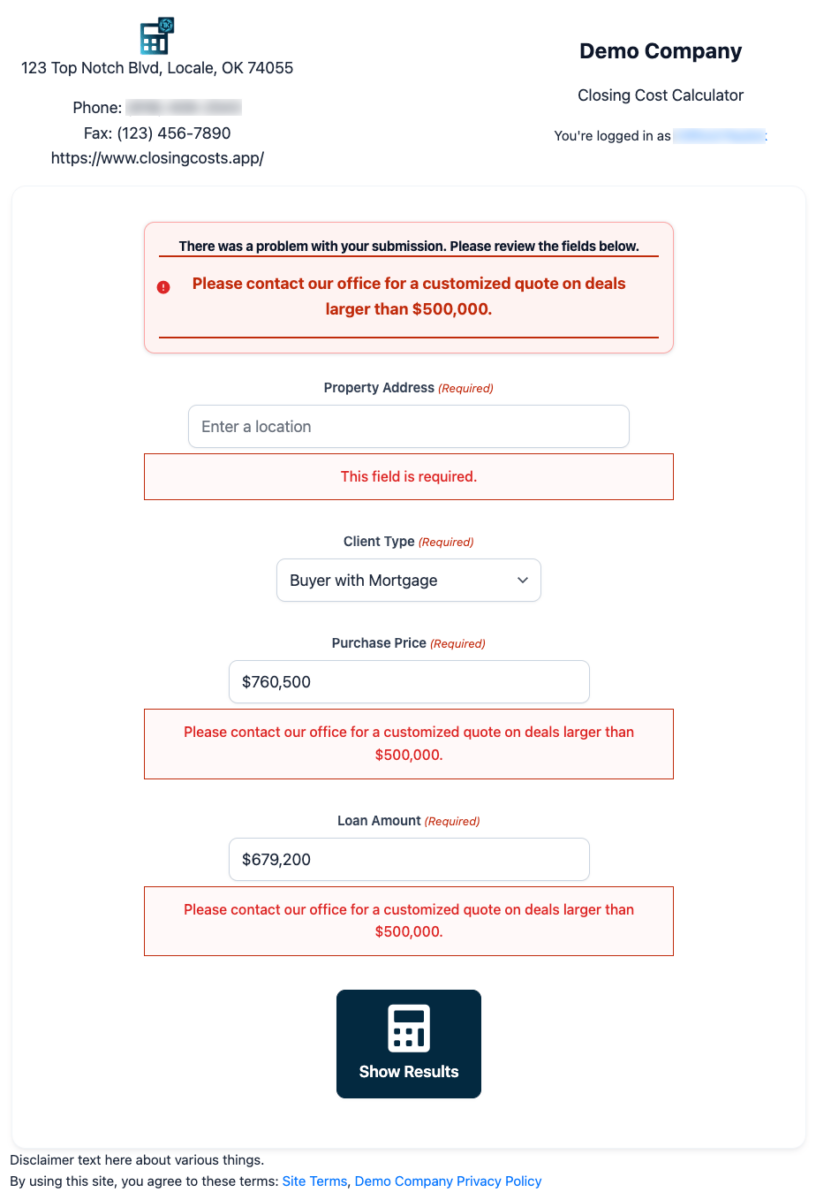
Restricted Quote Amounts
We’re able to handle quoting any amount. If your company custom quotes amounts over $1 million, for example, we can restrict your calculator and provide an actionable error message, directing them to contact your office.
Embeddable Calculator Widget
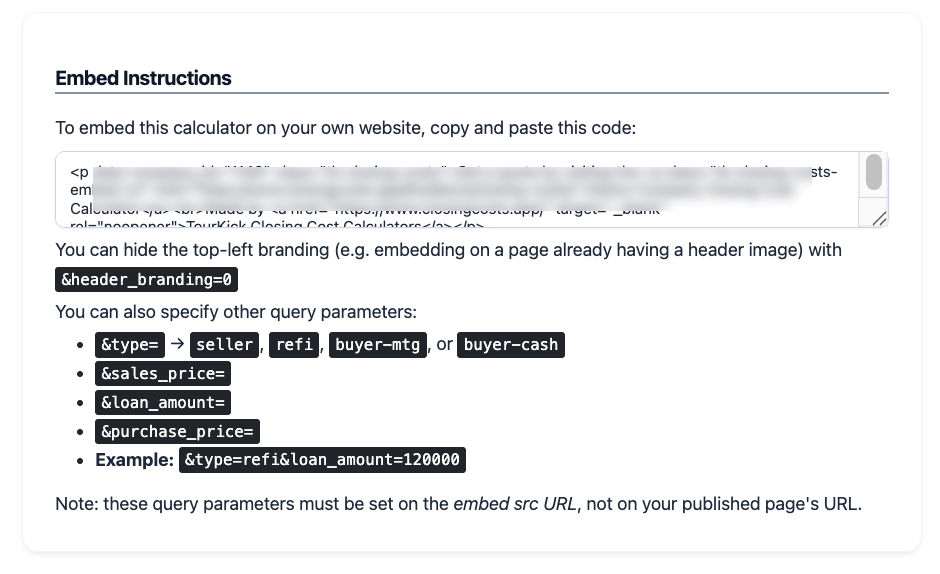
Your CCCalc may be embedded into any website—your own, RE broker’s, mortgage broker’s, etc.—that supports pasting in a <script> HTML tag.
It supports URL query parameters so you could embed into website.com/sellers with the Deal Type already set to “Seller”, improving their user experience (UX).
Quick Action Buttons
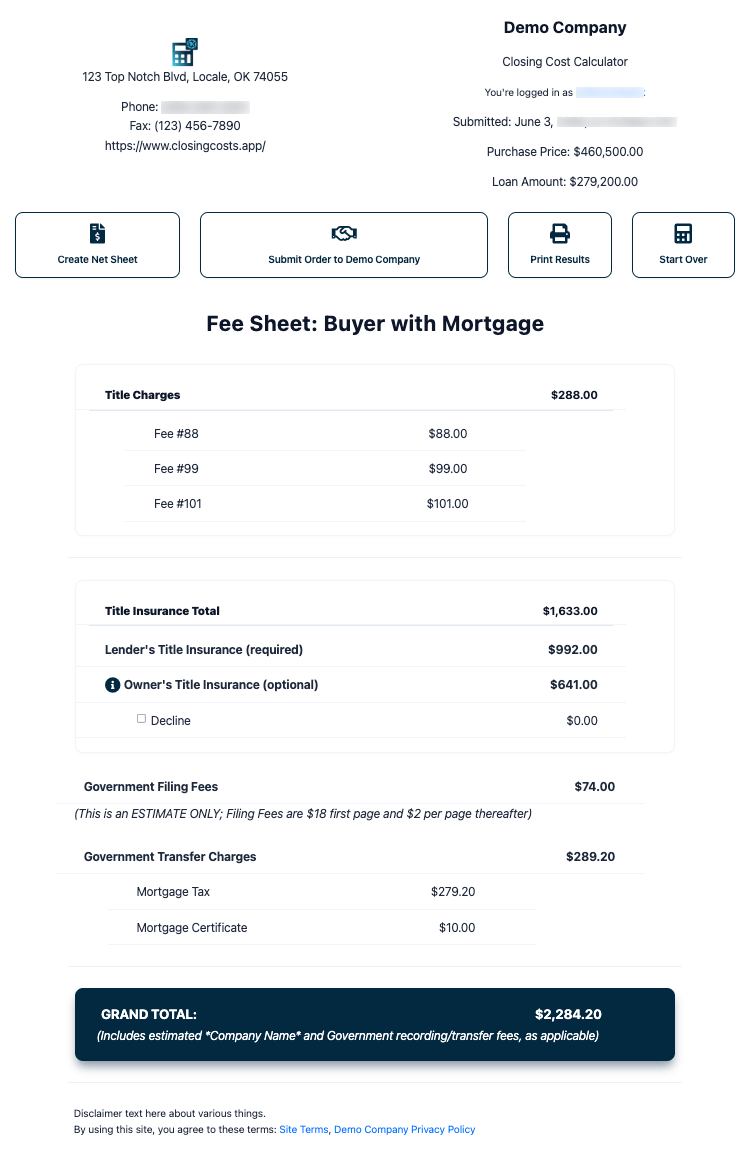
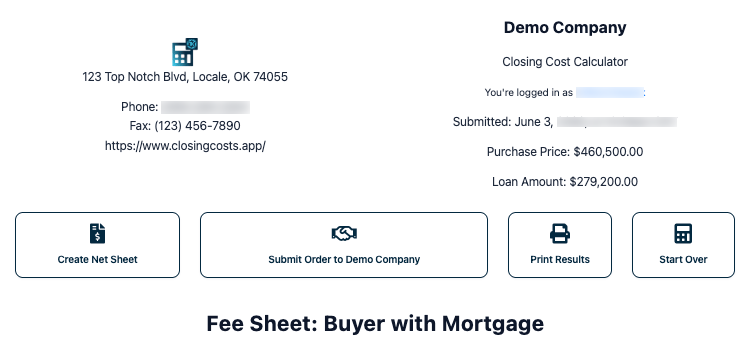
Atop your CCCalc’s Results page are the action buttons, enabling major functionality at the click of a button:
- Create Net Sheet: only shown to logged-in Pro Users
- Submit/Share Order: email the Results to you or anyone else
- Print Results: print-optimized view of the Results
- Start Over: prefill the CCCalc to quickly recalculate, such as leaving the purchase price the same but decreasing the mortgage amount
Submit Order to Title Company
The CCCalc results page invites users to submit an order to you, sending you an email with all the details. They may also choose to share the results with any other email address of their choosing, such as a friend or client.
Multiple Levels of Title Insurance
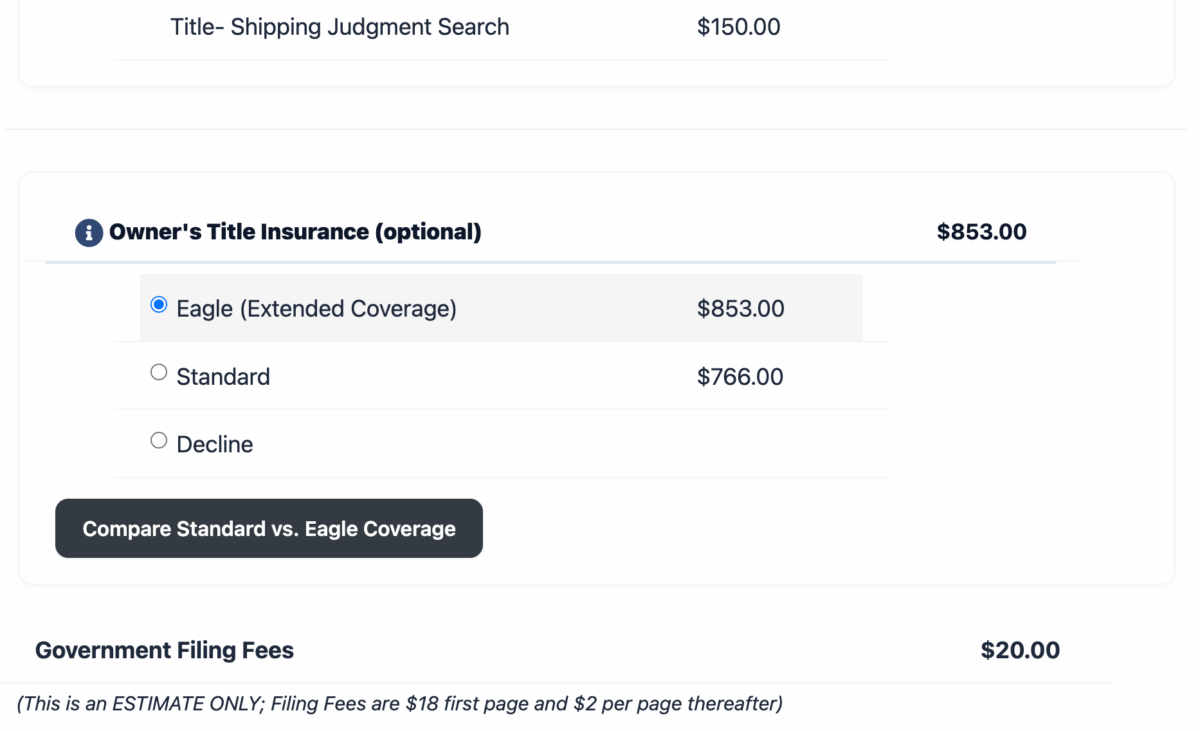
Some title companies offer “Standard” and “Premium” levels of title insurance, where your Premium level provides additional coverage for an additional fee.
We support quoting up to two levels of TI. Your users will see the price and upsell messaging for both levels on the Calculation Results screen, just like when offering only one level of TI.
For Buyer with Mortgage calculations, we ensure that when they select Premium for OTI, their LTI switches to Premium as well, since your underwriters do not allow writing Premium OTI with Standard LTI (or vice-versa).
Title Company Admin (TCA) Account
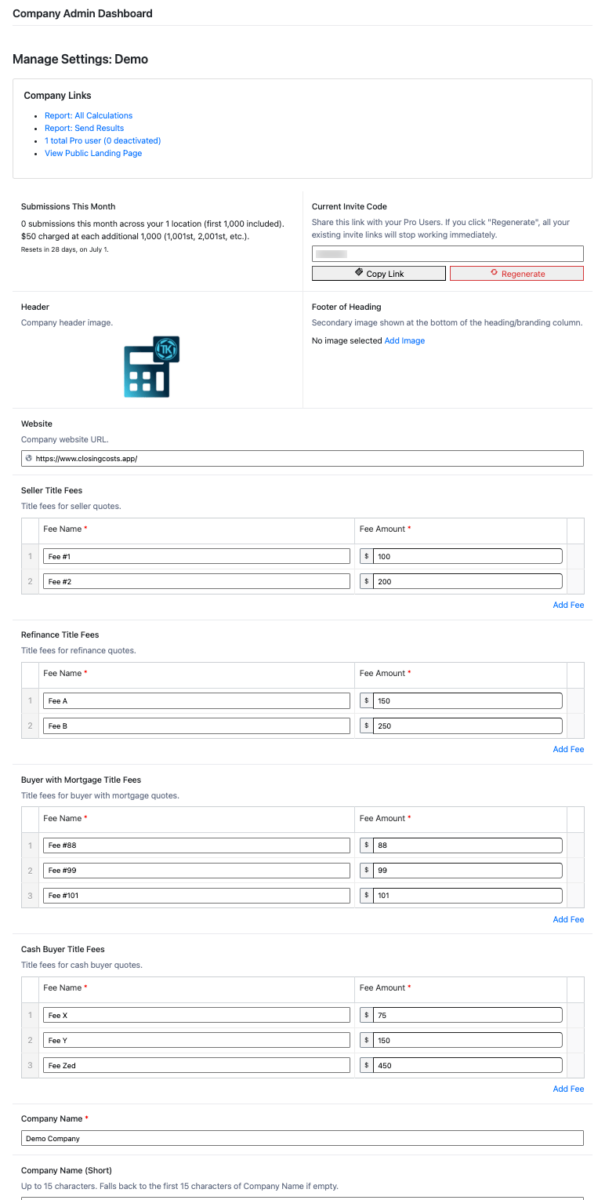
We assign you a single Title Company Admin account. This account can view summary information, usage reports, and change most of your calculator’s information, including:
- Fees for each Deal type
- Logos, color scheme, and other branding details
- Various text, such as contact information, disclaimers, and Privacy Policy link
- Behind the scenes controls like where “Submit Order to Title Company” submissions should be emailed
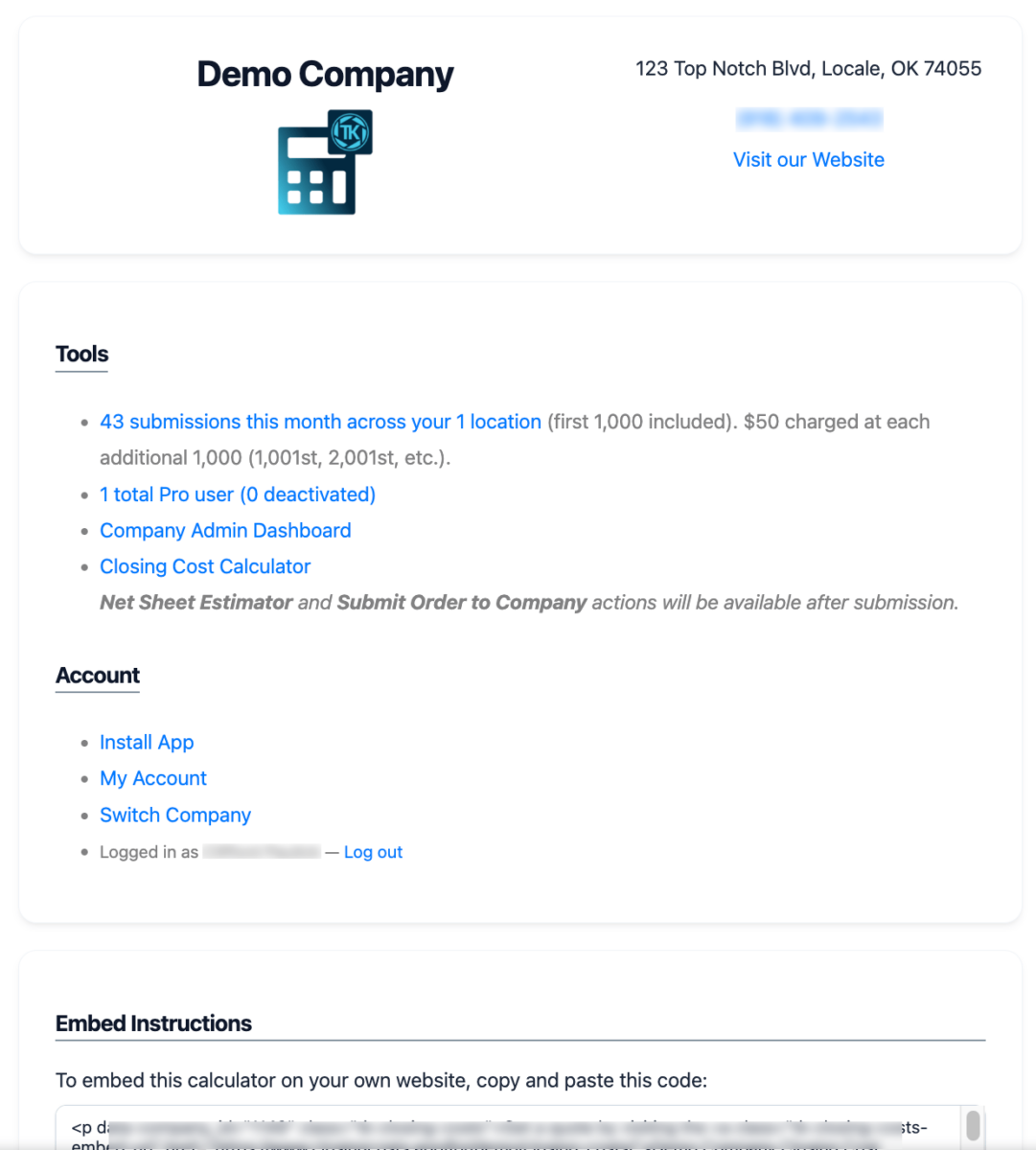
Typically, this account would be owned by the title company owner or managing escrow officer. This user has full control over your Company record. You may want to request us to make any changes for you instead of sharing this account’s credentials with someone else at your company.
Reports and Analytics
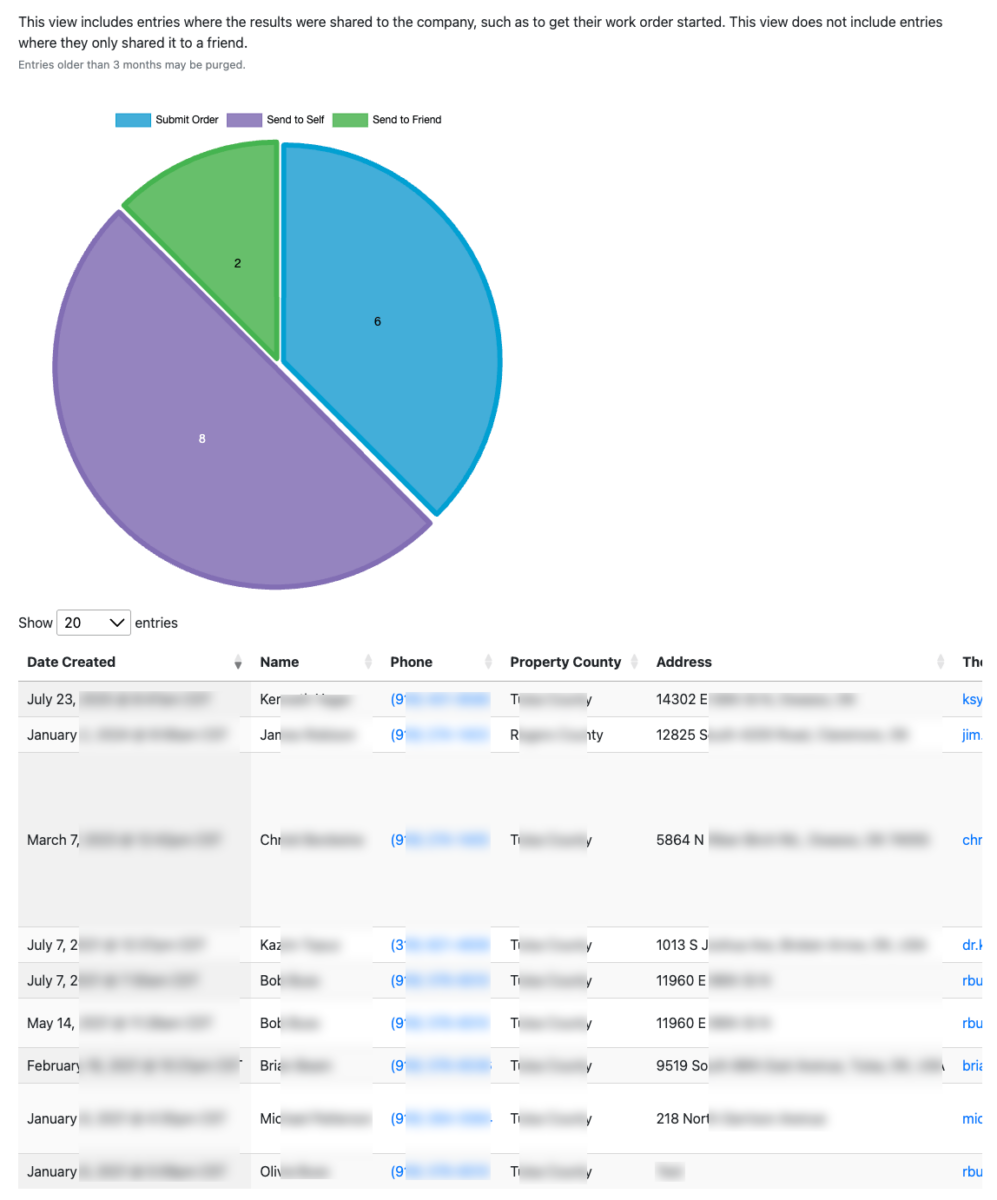
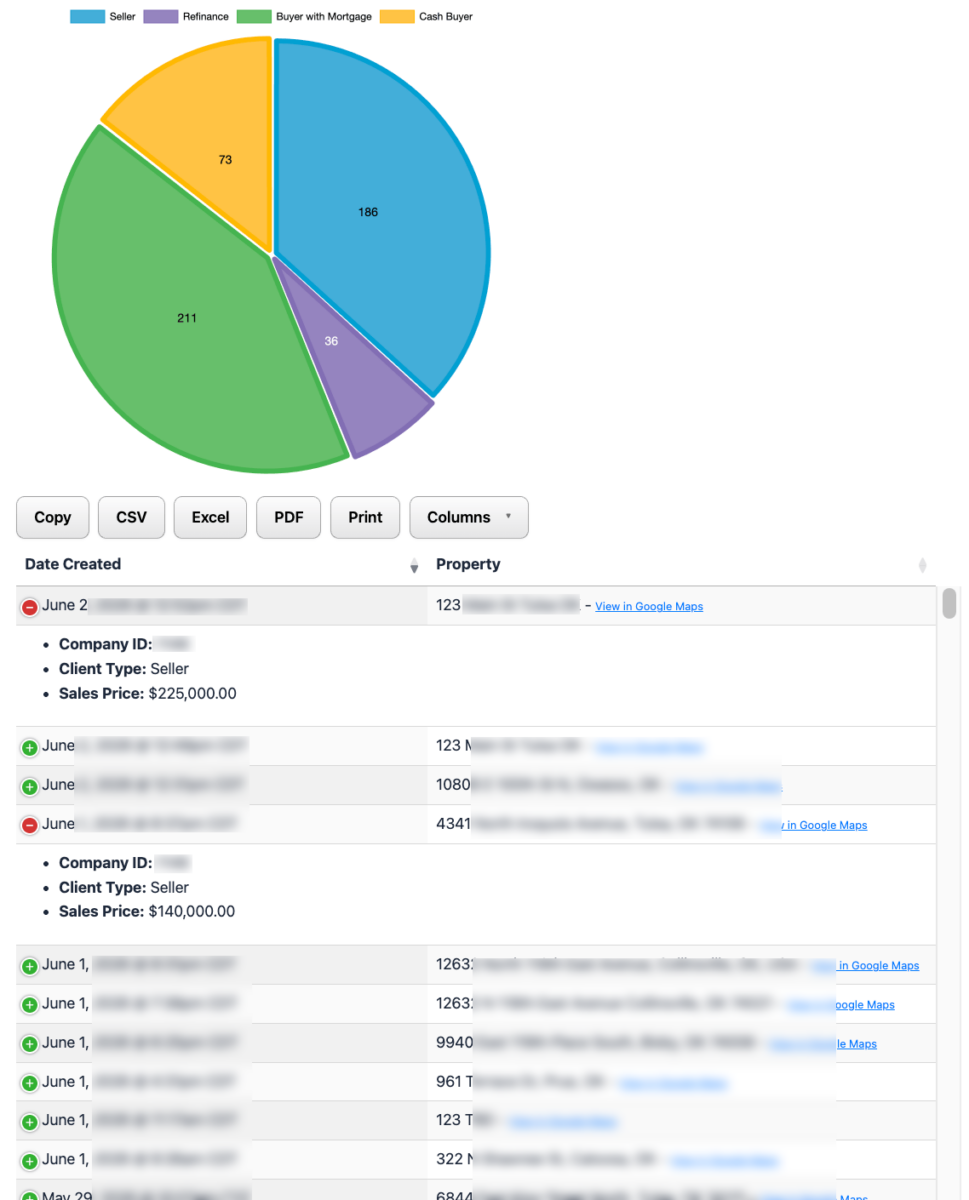
Your Title Company Admin user can view historical CCCalc submissions and realize insights into your calculator’s demand.
Unlimited Calculations
We require a flat monthly price per title company location. The first location (whether you have one or many) includes 1,000 calculations (form submissions) per month. Each block of 1,000 submissions over that amount is invoiced in arrears at $50.
We allow unlimited submissions, never disabling your calculators due to overages.
If your title company has multiple offices, each pays a base subscription fee (may be invoiced together or separately), but all of your locations share a single pool of form submissions. This could potentially save you hundreds of dollars a year if some of your locations have a low volume of submissions.
For example, if you have 2 locations that combined receive under 1,000 submissions per month, you’ll have no increase in your billing other than the base monthly fee for the additional location.
Easily Manage Multiple Locations
If, for example, you have one title company location in Tulsa and another in Owasso and another in Oklahoma City, that’s 3 locations because each has its own branding and contact information, fees, and email address.
Your single Title Company Admin (TCA) account can switch between your multiple locations, making it affordable and easy to manage. Each location has its own App, roster of registered Pro Users, fee amounts, and title insurance formula / rate lookup charts.
We track submissions per TCA, not per location.
If you’d prefer separate logins for your separate locations, that setup is easily possible but would have a higher ongoing monthly fee, since they’d each count as single locations instead of sharing a pool of included monthly submissions. However, if every one of your offices receives 700+ submissions every month, it’d be exactly the same price in the end.
Roster of Real Estate Professionals
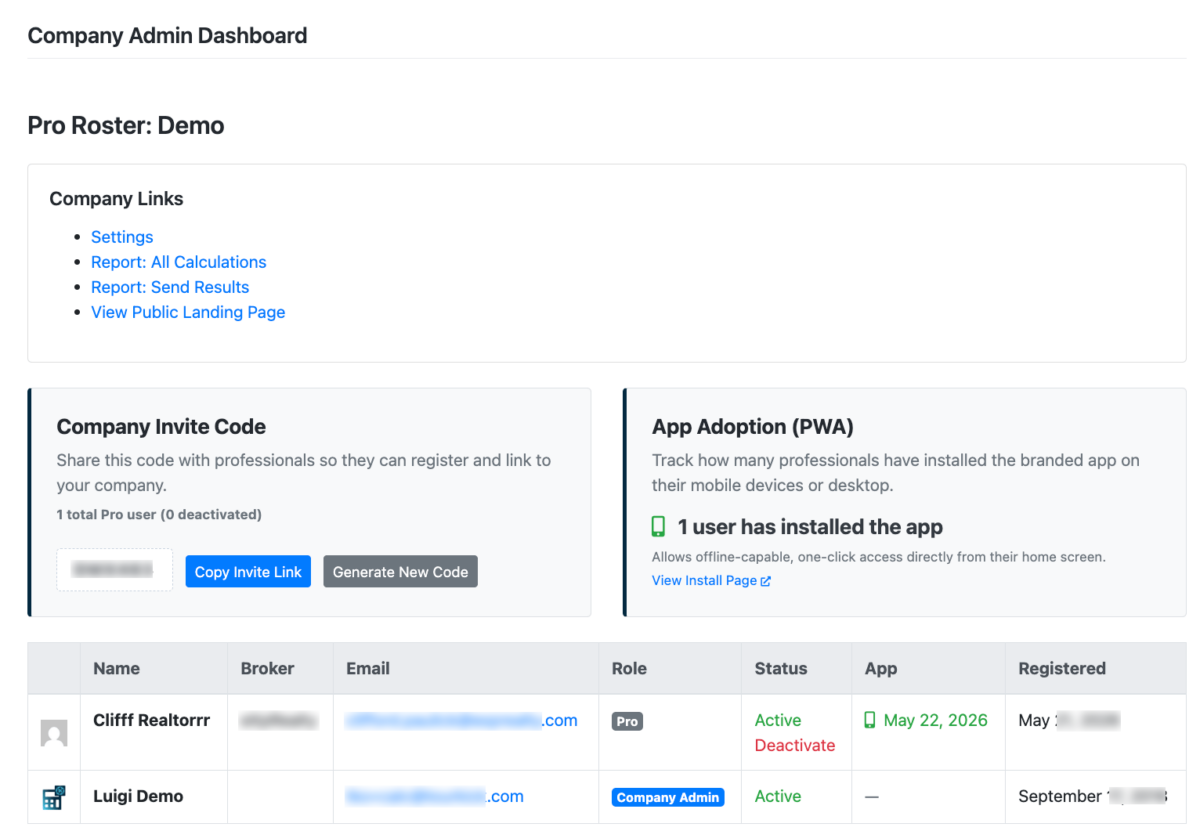
Logging in as the TCA also provides you access to view your list of registered Pro Users. These users signed up for an account with your Invite Code and are eligible to install your App, create Net Sheets, and update their profile.
The TCA can deactivate a Pro User at any time. This does not delete their account but instead disables it. You can later reactivate it.
Your Pro Roster shows totals for how many users are active, deactivated, and have installed your App.
Net Sheet Estimator
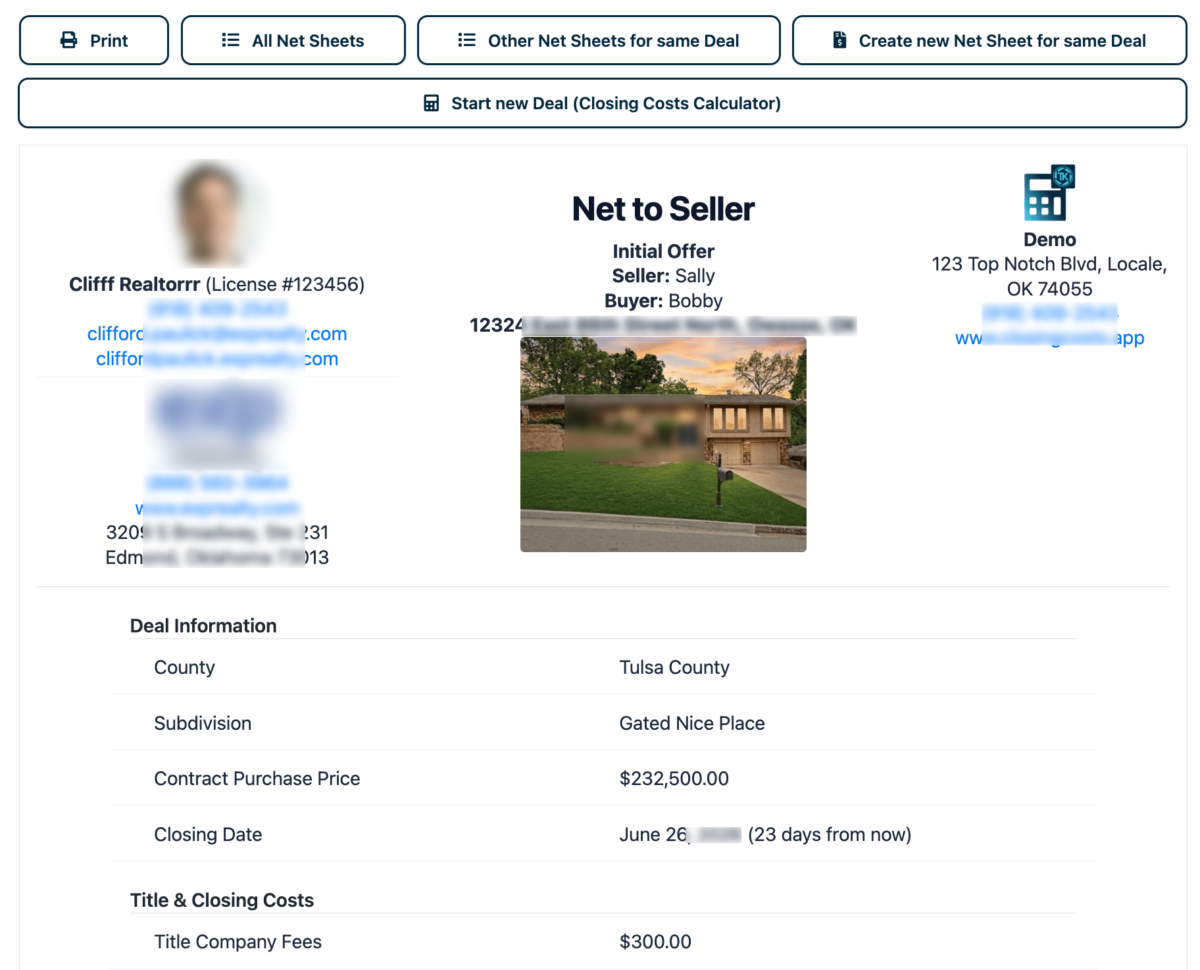
We launched Net Sheets in May 2026, allowing REALTORS® to turn a Closing Cost Calculation (a “Deal”) into a Net to Seller or Cost to Buyer estimate.
By providing our tools to your professionals, their trust in and loyalty to your company grows with every calculation.
Additionally, your mutual clients—buyers and sellers—experience increased efficiency and accuracy.
Automatically Fills in Complex Fields
While entering amounts, RE Pros are provided helpful reference amounts to assist in providing accurate numbers to buyers and sellers:
- Address autocomplete to avoid typos and look up property-specific details like county and annual property tax assessment
- 3% and 1% of the contract purchase price, helpful for entering broker commission and annual insurance amounts
- Funding of escrows, such as 15 months of annual insurance
- Property Tax Rate, extrapolated from historical assessments to estimate future assessment based on the contract purchase price
- Current property owner (seller name)
- Subdivision name
- The latest average mortgage rates from Freddie Mac
- Monthly mortgage payment based on the rate, years, and mortgage amount
- Number of days until closing
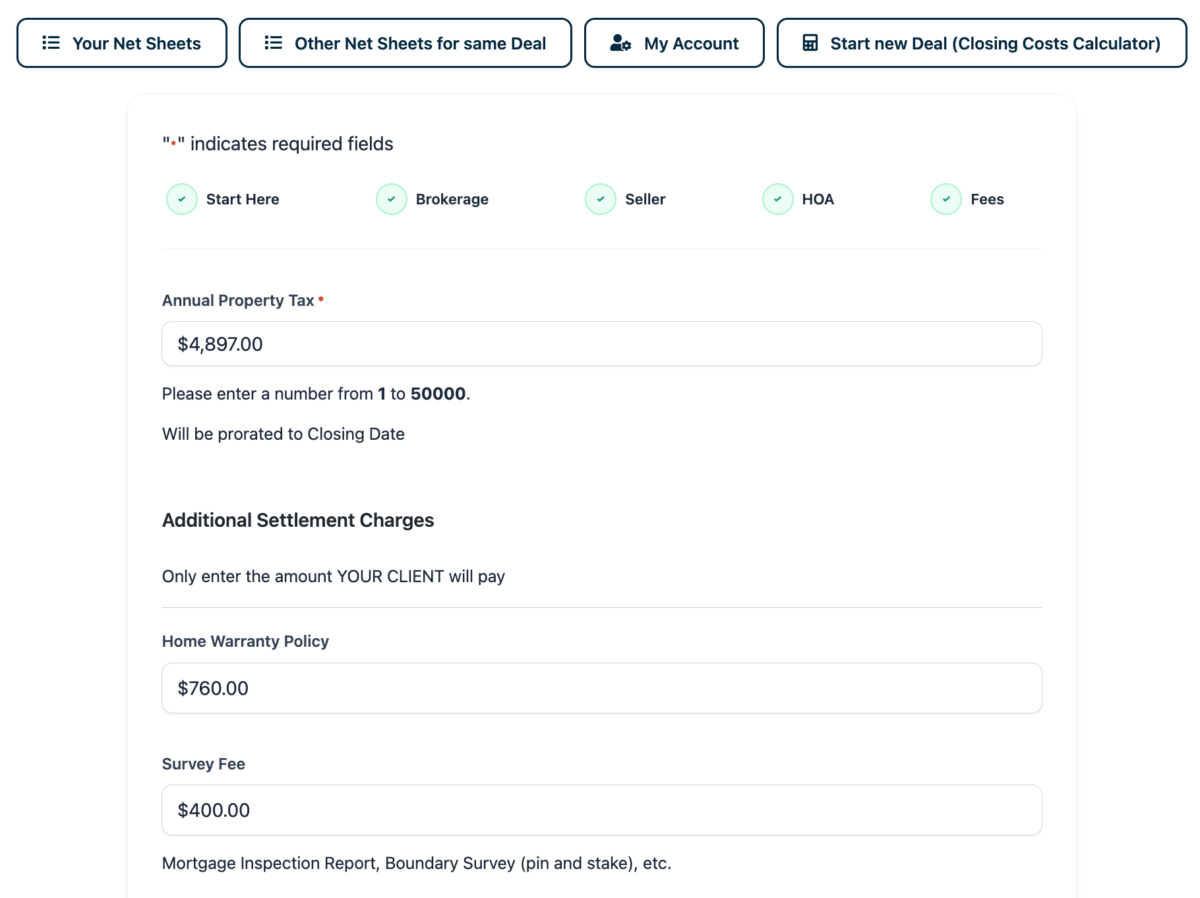
The RE Pro is able to override all computed fields because sometimes a property isn’t yet in Address Autocomplete (new construction) or when they know the buyer’s actual mortgage rate (since they’re based on many factors like credit worthiness).
This functionality ensures speed and ease-of-use for your REALTORS® to flexibly generate Net Sheets for any scenario.
Note that we do not look up actual amounts outstanding for a property, meaning that we do not tell the Pro User that their seller is or is not current on their property taxes or HOA dues. Of course, you’ll do that as part of preparing for the closing, and this is an estimator tool.
Pro User Accounts
Empowering your RE Pros to quickly and easily provide as many Net Sheet Estimates as they need ensures your mutual buyer and seller clients receive streamlined service.
Net Sheets are only accessible to logged-in Pro Users—only to the Real Estate Professionals you invite.
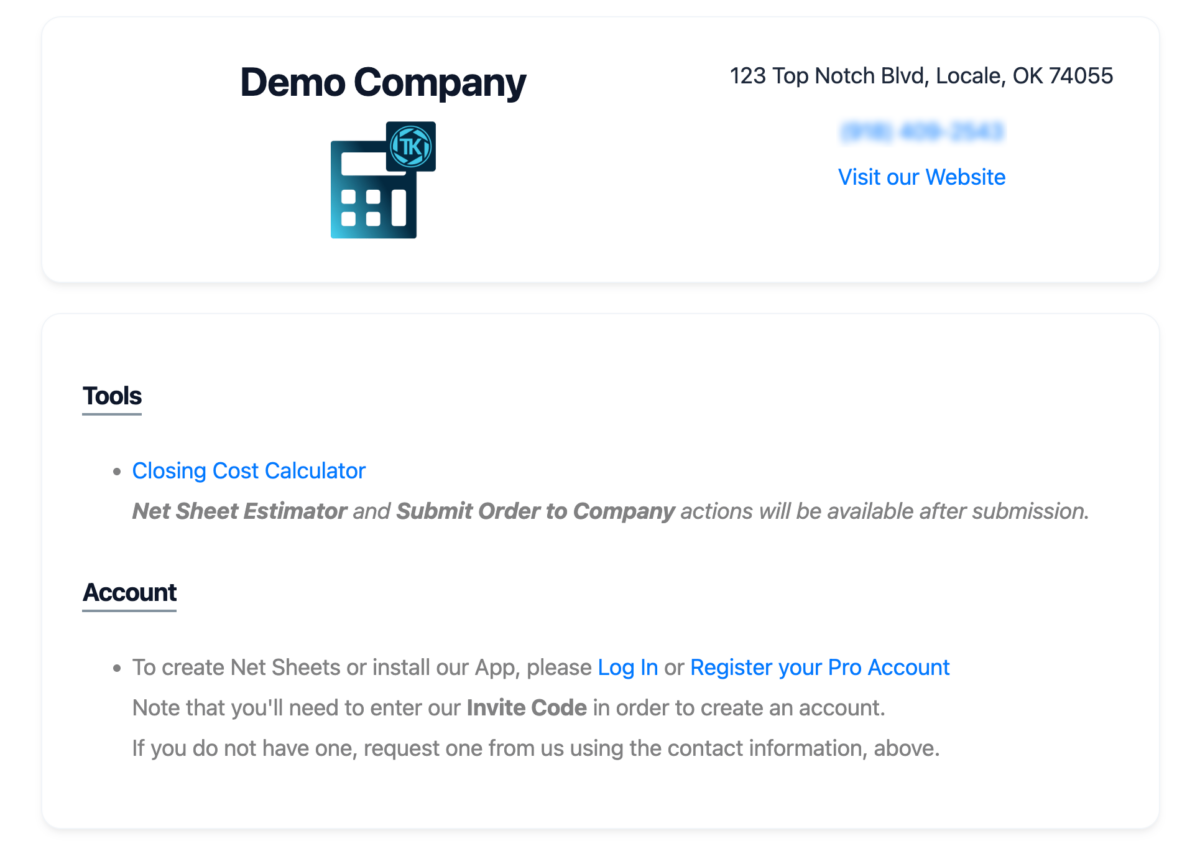
When logged out, your CCCalc will have a small Call To Action (CTA) to create their free Pro account by reaching out to you to request an Invite Code.
You have a single Invitation Code to share with as many RE Pros as you want, and you may change your Invite Code whenever you choose. Whenever you change the Invite Code, all your past invite links will be invalid; this is an intentional security feature, in case your Invite Code gets into the wrong hands. However, keep this in mind if you ever choose to print your invite code (such as on a business card or QR code).
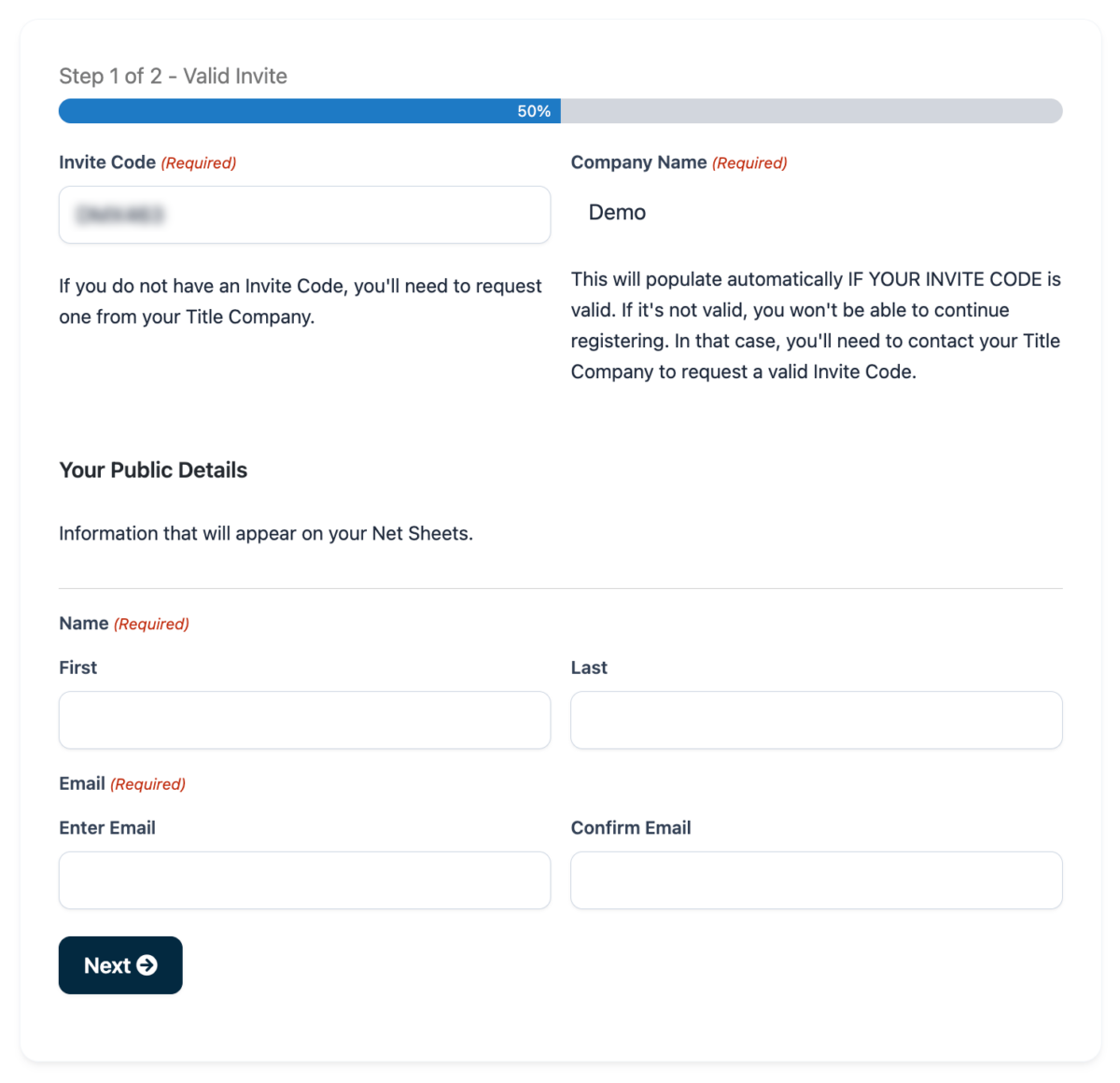
A Pro User does not need to create multiple accounts at ClosingCostsApp because we support switching between multiple companies. They won’t see the ability to switch unless they’ve already registered with more than one company, entering that company’s Invite Code through a separate signup process. If a Pro belongs to multiple companies, they’ll only be able to use one company’s app at a time, avoiding confusion—yet, switching companies is straightforward should they ever need to.
Loan Officers don’t create a Pro User account because they must submit official forms and only use the CCCalc functionality.
Co-Branded Net Sheets
Pro Users can set their own branding fields at any time: their name, profile photo, license number, broker name, broker logo, broker address and more.
Pro Users can change their branding information at any time, without the Title Company Admin’s involvement. They can even change their password, broker, and headshot.
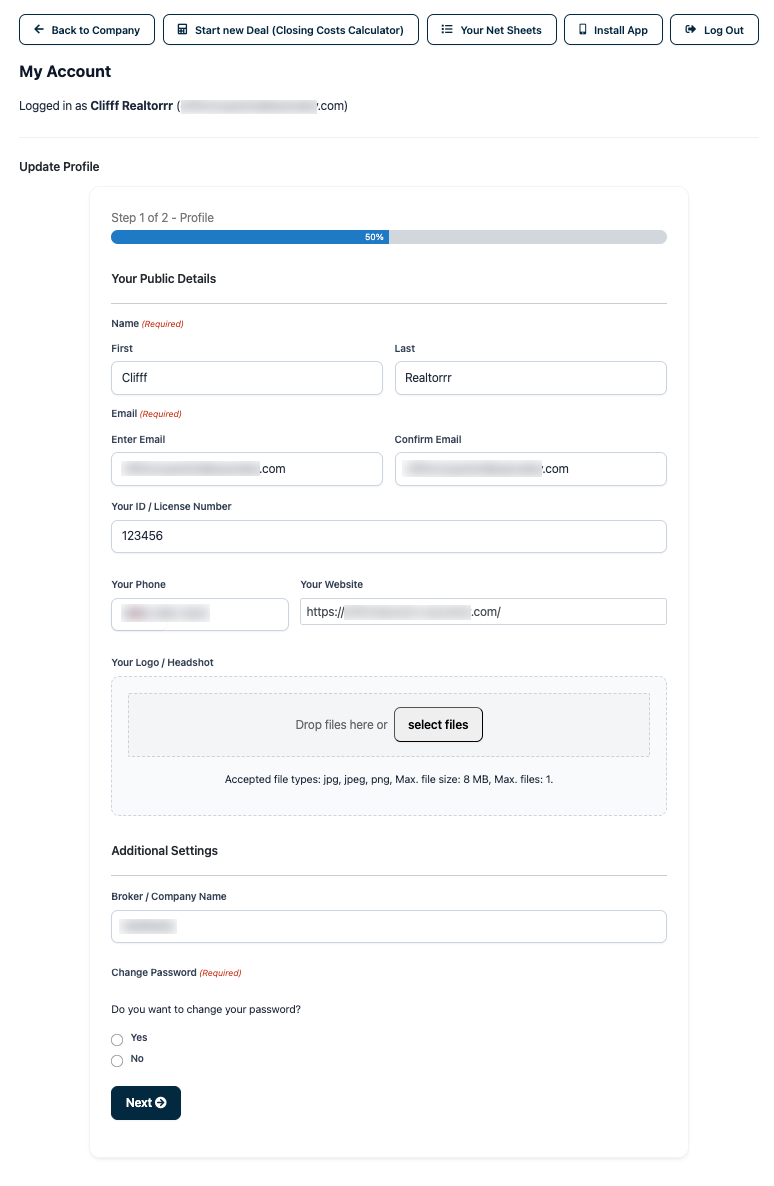
Since Net Sheets are only used by RE Pros, all Net Sheets are co-branded with both REALTOR® and title company contact information.
Disclaimers are added to each Net Sheet stating it is an estimate, not guaranteed numbers, and to direct questions to the respective real estate entity.
Shareable Links
Each Net Sheet has a unique share URL so RE Pros can share the link with their client. That share link does not require a login, and the RE Pro is able to revoke the Net Sheet, such as if a new one is created to replace it.
All Net Sheets are removed from public/anonymous viewing automatically one day after the Closing Date, since there’s no more need for an estimate if the closing already concluded.
Historical Net Sheets & Comparisons
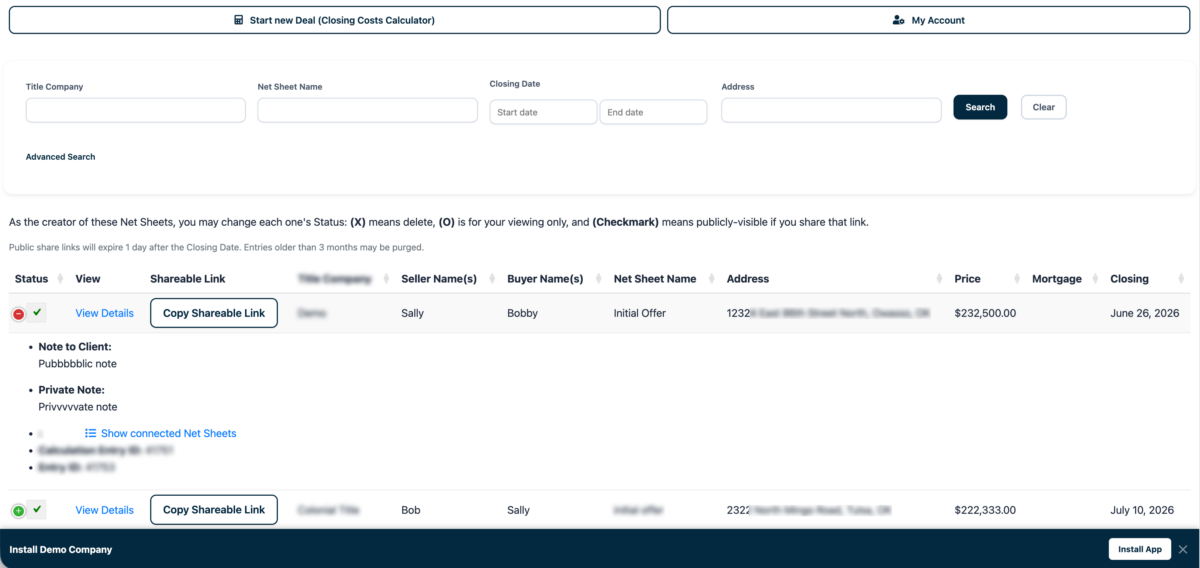
RE Pros are able to view all of their generated Net Sheets, even allowing them to create multiple separate Net Sheets based off a single CCCalc Deal.
Because each Net Sheet has a unique link, comparing multiple Net Sheets for a single Deal is straightforward.
All Net Sheets are removed from the Pro User’s viewing automatically 3 months after the Closing Date, preventing clutter in their Net Sheets List.
Print-Optimized Layouts
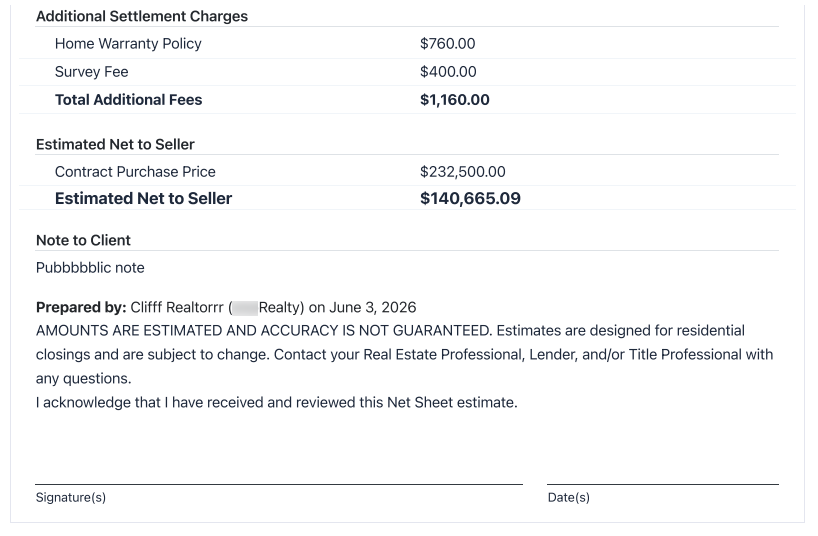
Both the CCCalc results and Net Sheets are print-optimized, usually fitting on a single page.
When you click to print a Net Sheet, it even adds Signature and Date lines to the bottom. This makes it easy to wet-sign or e-sign in any platform.
Mobile and Desktop Apps
Our tools work on any type or size of browser—mobile, desktop, iOS, Android, etc.—because they have a “responsive design,” meaning the webpage’s layout adapts to any width or height of browser.
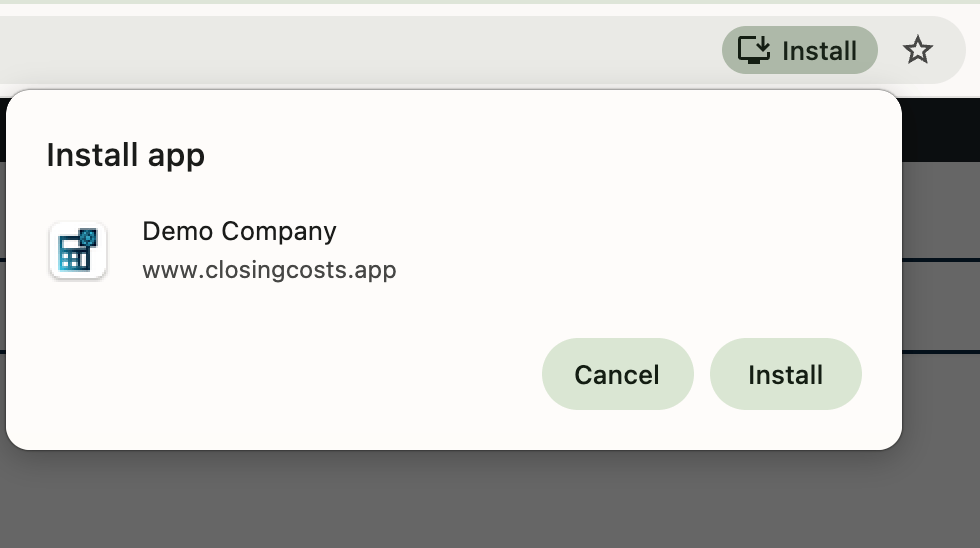
In addition, your Pro Users will be prompted to install your title company’s App once they’re logged in.
Yes, the installation prompt is only shown to your REALTORS®.
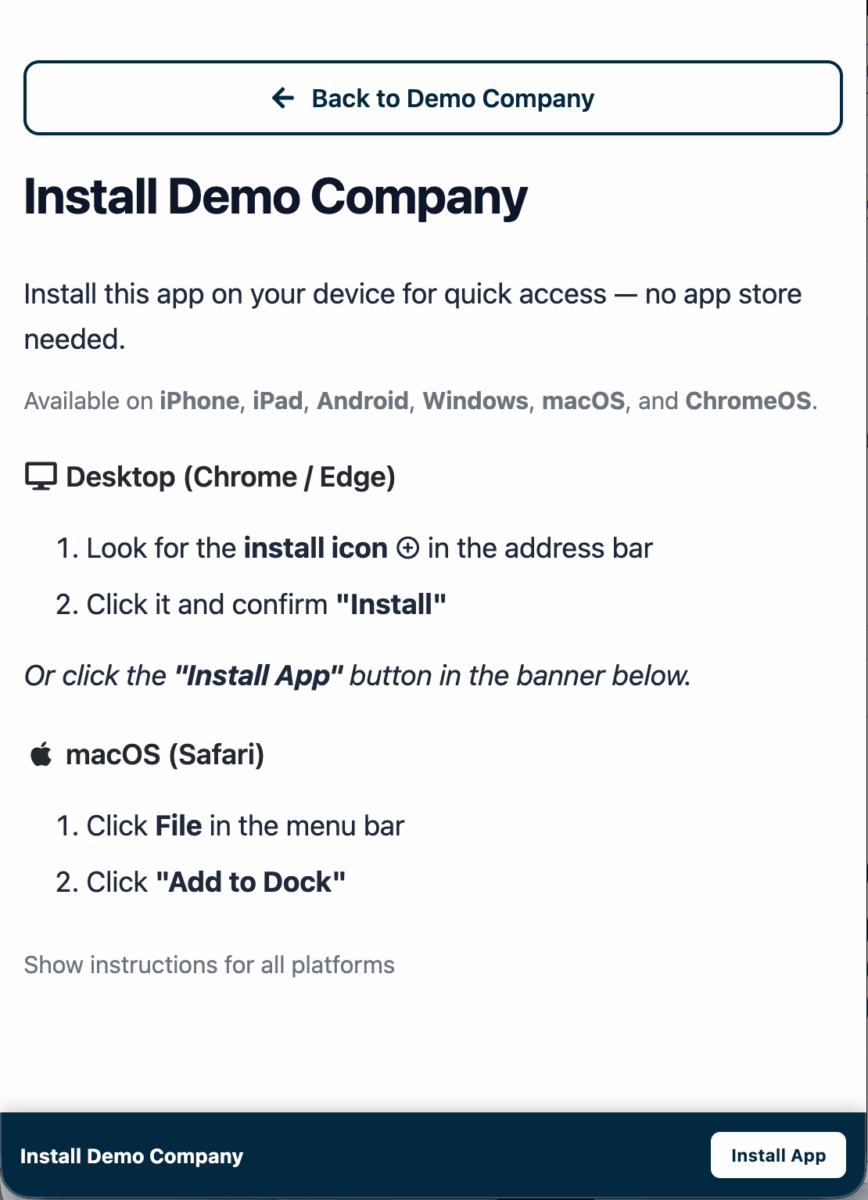
Technically, it’s a Progressive Web App (PWA), which means it’s not downloadable from the Apple or Android app stores (so don’t tell them to “go find it there”). Not being in the app store has pros and cons:
- Able to control the install process—in our case, only available to logged-in Pro Users.
- Users are not able to find your app by searching the app store
- No app store approval process to cause delays providing updated functionality or your latest fees
- Users never have an outdated version of the app (such as if your fees change but they haven’t yet updated their app)
- App can be installed on any type of device: phone, tablet, and even computer browsers (Safari or Chrome on macOS, Windows, etc.)
- App must be installed from our ClosingCosts.app domain, not from your own website’s embed page
PWAs have come a long way since they started in 2016. Since we launched our PWA functionality in 2026, they now have the full look and feel of a regular/native mobile app from the app store. There’s really no meaningful downside at all!
Note that your title company App will not work when the user is offline (neither cellular nor WiFi service) because the images and calculations happen on our server. This ensures they always get the most up-to-date results.